
- Expertise:
- Platform Testing, Cryptocurrency, Retail Investing
- Credentials:
- Active investor since 2013 · 11+ years experience
- Tested:
- 50+ platforms · 200+ guides authored

- Expertise:
- CFD Trading, Forex, Derivatives, Risk Management
- Credentials:
- Chartered ACII (2018) · Trading since 2012
- Tested:
- 40+ forex & CFD platforms with live accounts
How We Test
Real accounts. Real money. Real trades. No demo accounts or press releases.
What we measure:
- Spreads vs advertised rates
- Execution speed and slippage
- Hidden fees (overnight, withdrawal, conversion)
- Actual withdrawal times
Scoring:
Fees (25%) · Platform (20%) · Assets (15%) · Mobile (15%) · Tools (10%) · Support (10%) · Regulation (5%)
Testing team:
Adam Woodhead (investing since 2013), Thomas Drury (Chartered ACII, 2018), Dom Farnell (investing since 2013) — 50+ platforms with funded accounts
Quarterly reviews · Corrections: [email protected]
Disclaimer
Not financial advice. Educational content only. We're not FCA authorised. Consult a qualified advisor before investing.
Capital at risk. Investments can fall. Past performance doesn't guarantee future results.
CFD warning. 67-84% of retail accounts lose money trading CFDs. High risk due to leverage.
Contact: [email protected]
What Is the Best Crypto Wallet in Australia?
eToro Wallet is the best crypto wallet in Australia for 2026. It provides excellent security, an intuitive interface, and versatile features, making it perfect for both beginners and experienced traders. Its seamless integration with the eToro platform and support for multiple cryptocurrencies make it a standout choice. Cryptocurrency is a high-risk asset class. The value of your holdings can go down as well as up, and you may get back less than you invest.
For long-term cold storage, Trezor Model T leads the hardware wallet category with open-source firmware and touchscreen navigation, while MetaMask remains the top choice for DeFi and Ethereum users. Below, we compare the 7 best crypto wallets available to Australians based on security, supported cryptocurrencies, ease of use, and compatibility with Australian crypto exchanges.

51% of retail CFD accounts lose money.

Investing in crypto carries a high level of risk.

Investing in crypto carries a high level of risk.

Investing in crypto carries a high level of risk.



How Do Australia's Leading Crypto Wallets Compare?
The table below provides a quick comparison of the top 7 crypto wallets for Australians. Hot wallets like eToro and MetaMask offer convenient access for active traders, while cold wallets like Trezor and Ledger provide maximum security for long-term holders.
| # | Wallet | Type | Security | User-Friendliness | Best For | Price (AUD) |
|---|---|---|---|---|---|---|
| 1 | eToro Wallet | Hot (Desktop/Mobile) | Medium | Very Easy | Beginners | Free |
| 2 | Kraken Wallet | Hot (Desktop/Mobile) | High | Easy | Active Traders | Free |
| 3 | Coinbase Wallet | Hot (Desktop/Mobile) | Medium | Easy | Beginners | Free |
| 4 | Trezor Model T | Cold (Hardware) | High | Moderate | Advanced Users | $300 |
| 5 | Cypherock X1 | Cold (Hardware) | High | Moderate | Advanced Security | $400 |
| 6 | Ledger Nano S Plus | Cold (Hardware) | High | Easy | Budget-Conscious | $140 |
| 7 | MetaMask | Hot (Browser/Mobile) | Medium | Very Easy | DeFi and NFT Enthusiasts | Free |
I have tried a fair share of wallets over the years. Here is what I have learnt to look for when picking the right one:
- Security First: If a wallet does not offer strong encryption, two-factor authentication (2FA), and backup options, it is a hard pass.
- Ease of Use: Some wallets are built for tech-savvy users, while others are much more beginner-friendly. If you are just starting, choose one with a clean and intuitive interface.
- Supported Cryptos: Not all wallets support every coin. If you are in Australia and want to buy Bitcoin and Ethereum, you are good with most options. But if you hold altcoins, double-check compatibility.
- Ownership and Control: Do you want complete control of your private keys, or are you okay with a third party managing them? Non-custodial wallets where you own your keys are generally preferred.
- Customer Support: If something goes wrong, having responsive support can be a lifesaver.
Here Are The Top 7 Crypto Wallets:
1. eToro Money Wallet — Best Overall
2. Kraken Wallet — Best for Active Traders
3. Coinbase Wallet — Best for Beginners
4. Trezor Model T — Best Open-Source Hardware Wallet
5. Cypherock X1 — Best for Advanced Security
6. Ledger Nano S Plus — Best Budget Hardware Wallet
7. MetaMask — Best for DeFi and Ethereum
eToro Money Wallet — Best Overall
Top Pick
Pros
- Simple and intuitive design ideal for beginners
- Fully integrated with the eToro trading platform
- Supports multiple cryptocurrencies including Bitcoin, Ethereum, and XRP
- Regulated platform with strong investor protections
Cons
- Limited advanced features for experienced users
- Hot wallet risks due to online connectivity
What Security Features Does It Offer?
The eToro Money Wallet benefits from eToro's regulated infrastructure, providing multi-layer security including two-factor authentication, encryption, and secure private key management. As a custodial hot wallet, eToro manages security on your behalf, which simplifies the experience but means you do not hold your own private keys.
For Australians concerned about exchange-level risks, eToro is regulated by ASIC (Australian Securities and Investments Commission) and holds an Australian Financial Services Licence, providing an additional layer of trust compared to unregulated wallet providers.
What Cryptocurrencies Does It Support?
The eToro Money Wallet supports a broad range of popular cryptocurrencies including Bitcoin (BTC), Ethereum (ETH), XRP, Litecoin (LTC), and several other major assets. It integrates directly with the eToro exchange, allowing seamless transfers between your trading account and wallet.
While the selection is not as extensive as dedicated non-custodial wallets, it covers the most widely traded assets for Australian investors looking to store their holdings securely after purchasing through eToro.
How Easy Is It to Use?
Setup takes just a few minutes if you already have an eToro trading account. The wallet interface mirrors eToro's clean design, making navigation intuitive even for first-time crypto users. Transferring crypto between your eToro trading account and the wallet requires just a few taps.
The wallet is available as a mobile app for both iOS and Android, providing convenient access to your holdings on the go. For Australians who are new to cryptocurrency, the eToro ecosystem offers the smoothest onboarding experience of any wallet on this list.
What Are the Costs?
The eToro Money Wallet is free to download and use. There are no subscription fees or account minimums. Standard blockchain network fees apply when sending cryptocurrency to external addresses, and eToro charges a small conversion fee for certain transactions.
For Australians already using eToro as their primary exchange, the wallet adds no additional cost and provides a convenient storage solution integrated with their existing trading setup.
Kraken Wallet — Best for Active Traders
Active Traders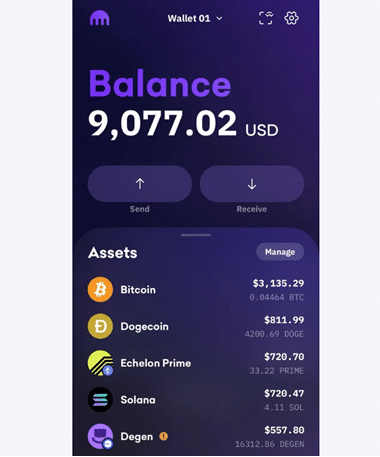
Pros
- Top-tier security with robust encryption and 2FA
- Beginner-friendly interface with advanced tools
- Staking available for supported assets
- Strong integration with Kraken exchange
Cons
- Limited offline options as primarily a hot wallet
- Higher fees for certain transactions
What Security Features Does It Offer?
Kraken Wallet provides robust encryption and mandatory two-factor authentication for all transactions. As one of the oldest and most respected exchanges in the crypto space, Kraken has maintained an excellent security track record and applies its institutional-grade security practices to the wallet product.
The wallet supports biometric authentication on mobile devices and encrypts all stored data locally. For Australians seeking a hot wallet with security that approaches cold storage standards, Kraken Wallet represents one of the strongest options available.
What Cryptocurrencies Does It Support?
Kraken Wallet supports a wide range of cryptocurrencies including Bitcoin, Ethereum, Solana, Cardano, and hundreds of ERC-20 tokens. The integration with Kraken's exchange means Australians can easily move assets between trading and storage.
Staking is available for select assets directly through the wallet, allowing Australian investors to earn passive returns on holdings like Ethereum and Solana without transferring to a separate platform.
How Easy Is It to Use?
Setup is straightforward and takes approximately 5-10 minutes. The interface balances simplicity with depth, providing clear navigation for beginners while offering advanced charting and order tools for experienced traders.
The mobile app is well-designed with quick access to balances, transfers, and staking. For Australians who actively trade and want their wallet integrated with their exchange, Kraken provides one of the smoothest experiences available.
What Are the Costs?
The Kraken Wallet is free to download and use. Transaction fees vary depending on the cryptocurrency and network conditions, with Kraken applying competitive spreads for in-app trades. Withdrawal fees to external wallets are minimal and clearly disclosed.
For active Australian traders, the cost efficiency improves with volume, and the integrated staking rewards can offset transaction fees over time.
Coinbase Wallet — Best for Beginners
Beginner Friendly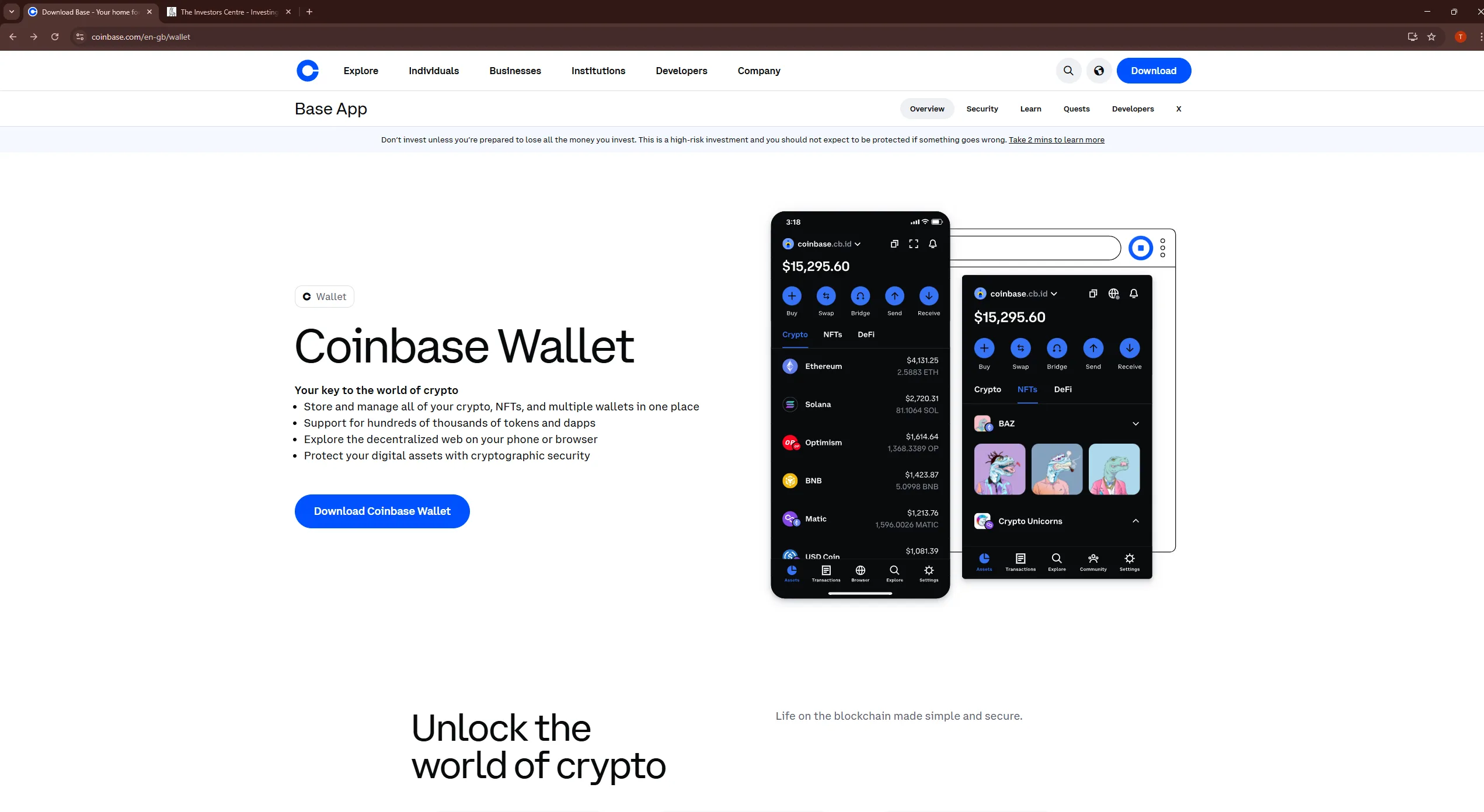
Pros
- Intuitive design for easy use by beginners
- Free to download and supports many assets
- Seamless integration with the Coinbase exchange
- Non-custodial — you control your private keys
Cons
- Hot wallet risks as private keys are on an online device
- Limited advanced tools for experienced users
What Security Features Does It Offer?
Coinbase Wallet is a non-custodial wallet, meaning you hold your own private keys and Coinbase cannot access your funds. Keys are encrypted and stored locally on your device, protected by biometric authentication and a user-set password.
As a hot wallet, it is inherently more vulnerable than cold storage solutions, but the non-custodial design ensures that your assets remain under your control even if Coinbase as a company were to face issues. For Australians wanting self-custody with training wheels, it strikes a strong balance.
What Cryptocurrencies Does It Support?
Coinbase Wallet supports over 100,000 tokens across multiple blockchains including Ethereum, Polygon, Solana, and Bitcoin. The built-in dApp browser provides access to DeFi protocols and NFT marketplaces directly from the wallet interface.
For Australians holding a diverse portfolio of assets, the broad token support means virtually any cryptocurrency can be stored in a single wallet. Integration with the Coinbase exchange allows seamless transfers between custodial and self-custody storage.
How Easy Is It to Use?
Setup takes approximately 5 minutes: download the mobile app, create a wallet, and securely store your 12-word recovery phrase. The interface mirrors Coinbase's familiar design, making it immediately intuitive for existing Coinbase users.
The built-in dApp browser provides access to DeFi protocols, NFT marketplaces, and web3 applications. For Australians already comfortable with Coinbase's interface, the wallet provides the smoothest transition to self-custody.
What Are the Costs?
Coinbase Wallet is completely free to download and use. No subscription fees, account minimums, or premium tiers. The only costs are standard blockchain network fees when sending transactions.
The wallet includes Coinbase Pay integration, allowing direct purchases of cryptocurrency with debit card or bank transfer, though these purchases incur Coinbase's standard exchange fees. For self-custody without purchase integration, the wallet remains entirely free.
Trezor Model T — Best Open-Source Hardware Wallet
Open Source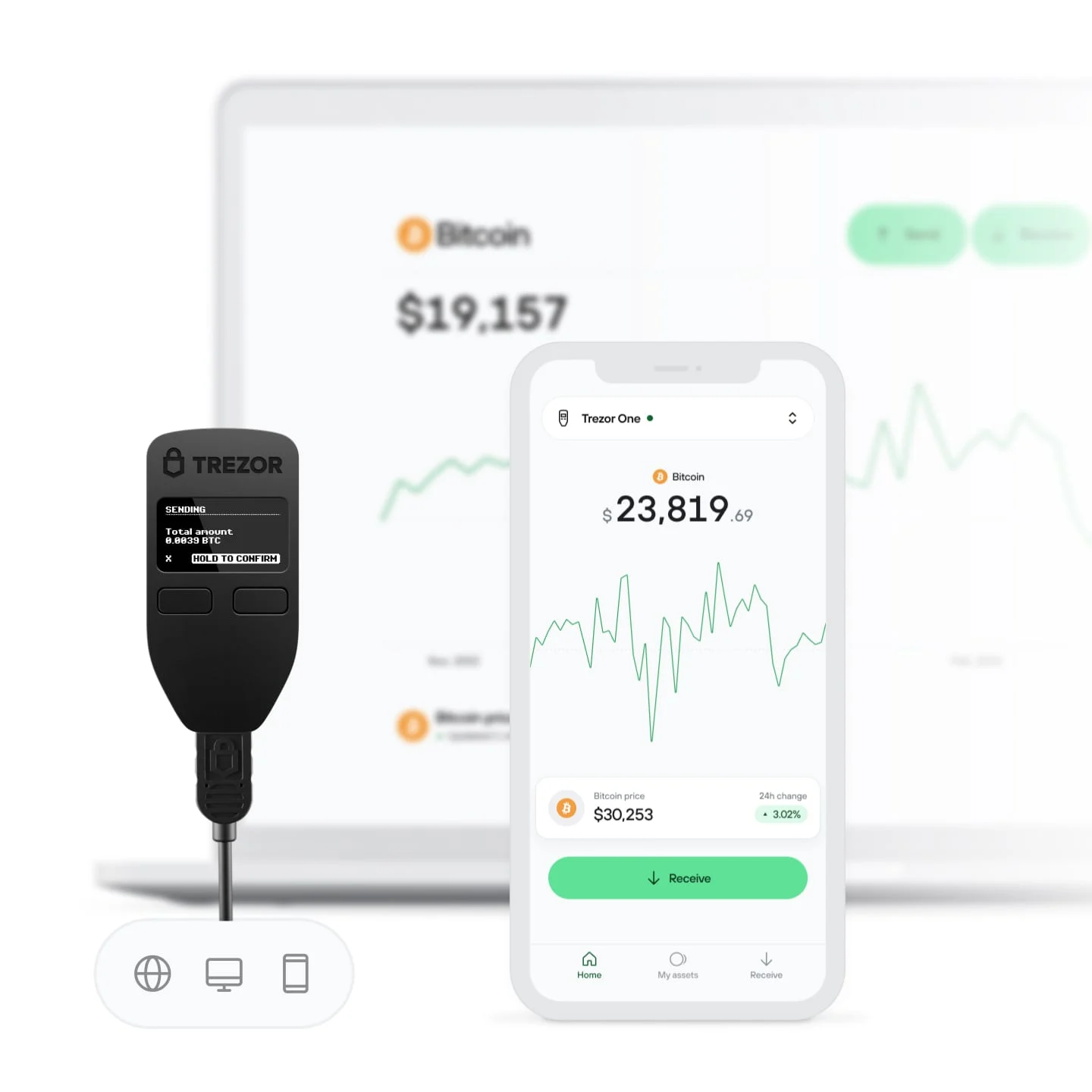
Pros
- Touchscreen interface for simpler navigation
- Open-source firmware for transparent security
- Supports a broad range of 1,800+ assets
- Shamir Backup for advanced recovery management
Cons
- Expensive at $300 AUD
- Not beginner-friendly due to technical setup
What Security Features Does It Offer?
Trezor's fully open-source design means any security researcher can review the code for vulnerabilities. The device stores private keys in isolated storage, requires physical button confirmation for transactions, and supports advanced passphrase protection as a "25th word" for additional security layers.
The optional Shamir Backup (SLIP39) allows splitting your recovery phrase into multiple shares, requiring a threshold (e.g., 3 of 5) to restore access. This eliminates single-point-of-failure risks if one backup is lost or compromised.
What Cryptocurrencies Does It Support?
The Trezor Model T supports over 1,800 cryptocurrencies including Bitcoin, Ethereum, Litecoin, Cardano, and most ERC-20 tokens. Trezor Suite integrates with third-party applications like MetaMask and Electrum for expanded functionality.
The device connects to DeFi protocols through WalletConnect, allowing Australian investors to participate in decentralised finance while keeping their keys secure offline.
How Easy Is It to Use?
The color touchscreen eliminates physical buttons for PIN entry, making setup more intuitive than button-based alternatives. Initial configuration takes 10-15 minutes, including writing down your 12 or 24-word recovery phrase.
Trezor Suite provides desktop and web-based interfaces for managing crypto, checking balances, and initiating transfers. The device plugs in via USB-C and requires physical interaction for transaction approval.
What Are the Costs?
The Trezor Model T costs approximately $300 AUD, making it one of the more expensive hardware wallet options. The premium reflects the touchscreen interface, open-source verification, and advanced features like Shamir Backup.
For Australian investors with portfolios exceeding $2,000, the security premium easily justifies the one-time investment compared to the risks of storing assets in free hot wallet alternatives.
Cypherock X1 — Best for Advanced Security
Advanced Security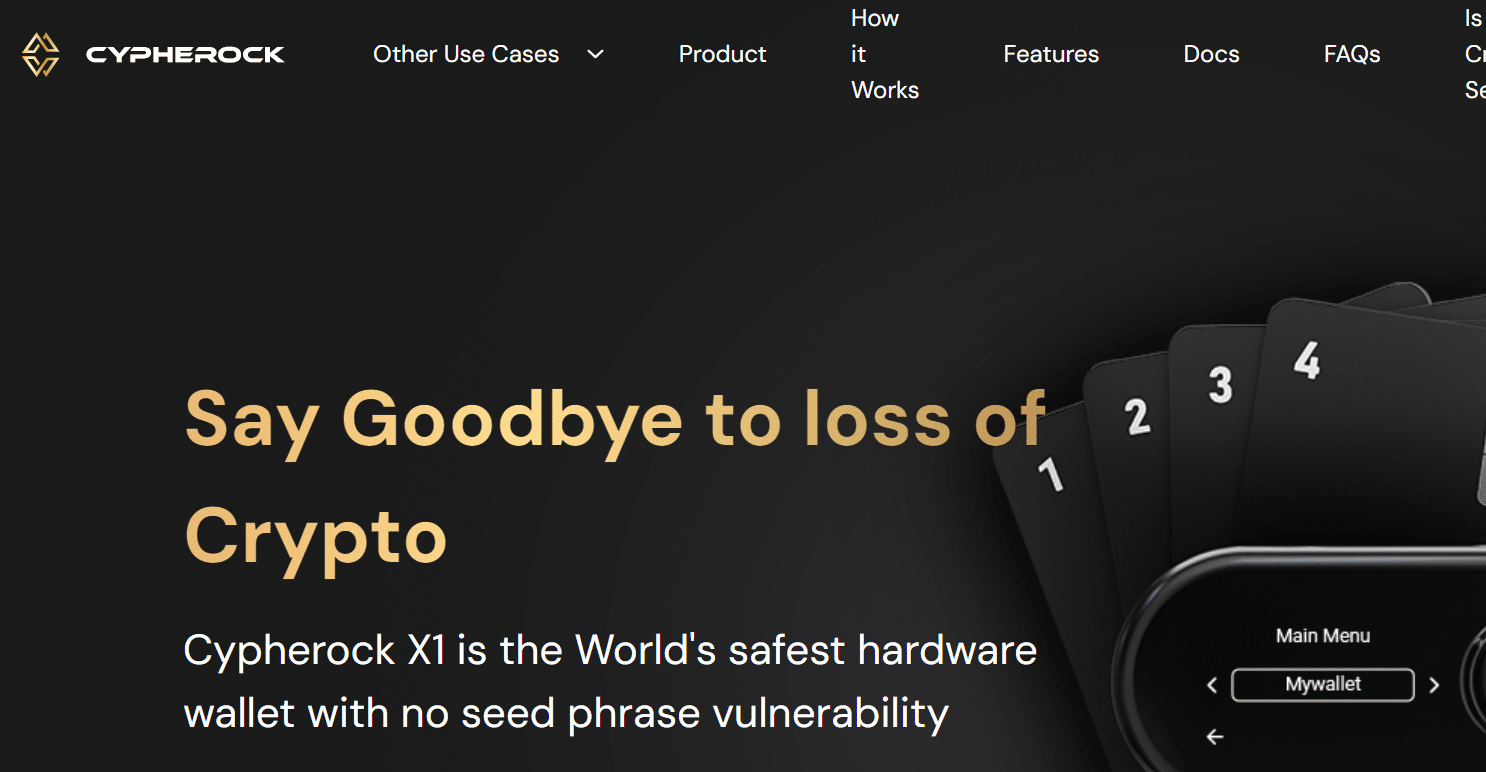
Pros
- Seedless recovery system eliminates risks of lost phrases
- High-end security for large crypto portfolios
- Supports multiple assets across different blockchains
- No single point of failure in key management
Cons
- Expensive at approximately $400 AUD
- Complex setup process may deter new users
What Security Features Does It Offer?
The Cypherock X1 uses a unique approach to key management by splitting your private key across multiple NFC-enabled smart cards and the device itself. This means no single component holds your complete key, eliminating the traditional single-point-of-failure risk associated with seed phrases.
To authorise a transaction, you need the device plus at least one smart card, providing a multi-factor authentication approach that is hardware-enforced. For Australian investors with significant holdings, this architecture offers security that exceeds traditional hardware wallets.
What Cryptocurrencies Does It Support?
The Cypherock X1 supports major cryptocurrencies including Bitcoin, Ethereum, and a range of ERC-20 tokens. While the supported asset list is narrower than some competitors, it covers the most commonly held cryptocurrencies by Australian investors.
The development team continues to expand support, and the open architecture allows for future additions. For investors primarily holding Bitcoin and Ethereum, the current coverage is sufficient.
How Easy Is It to Use?
Initial setup is more involved than traditional hardware wallets due to the multi-card system. Plan for 20-30 minutes to initialise the device, configure your smart cards, and understand the recovery process. The learning curve is steeper than consumer-oriented wallets.
Once configured, daily use is straightforward — tap a smart card to the device to authorise transactions. The companion app provides a clean interface for managing assets and viewing balances.
What Are the Costs?
At approximately $400 AUD, the Cypherock X1 is the most expensive wallet in this comparison. The premium reflects the unique multi-card security architecture and the elimination of seed phrase vulnerability.
For Australian investors with portfolios exceeding $5,000, the additional cost over a standard hardware wallet provides meaningful extra protection. For smaller portfolios, a Ledger or Trezor may offer better value.
Ledger Nano S Plus — Best Budget Hardware Wallet
Best Value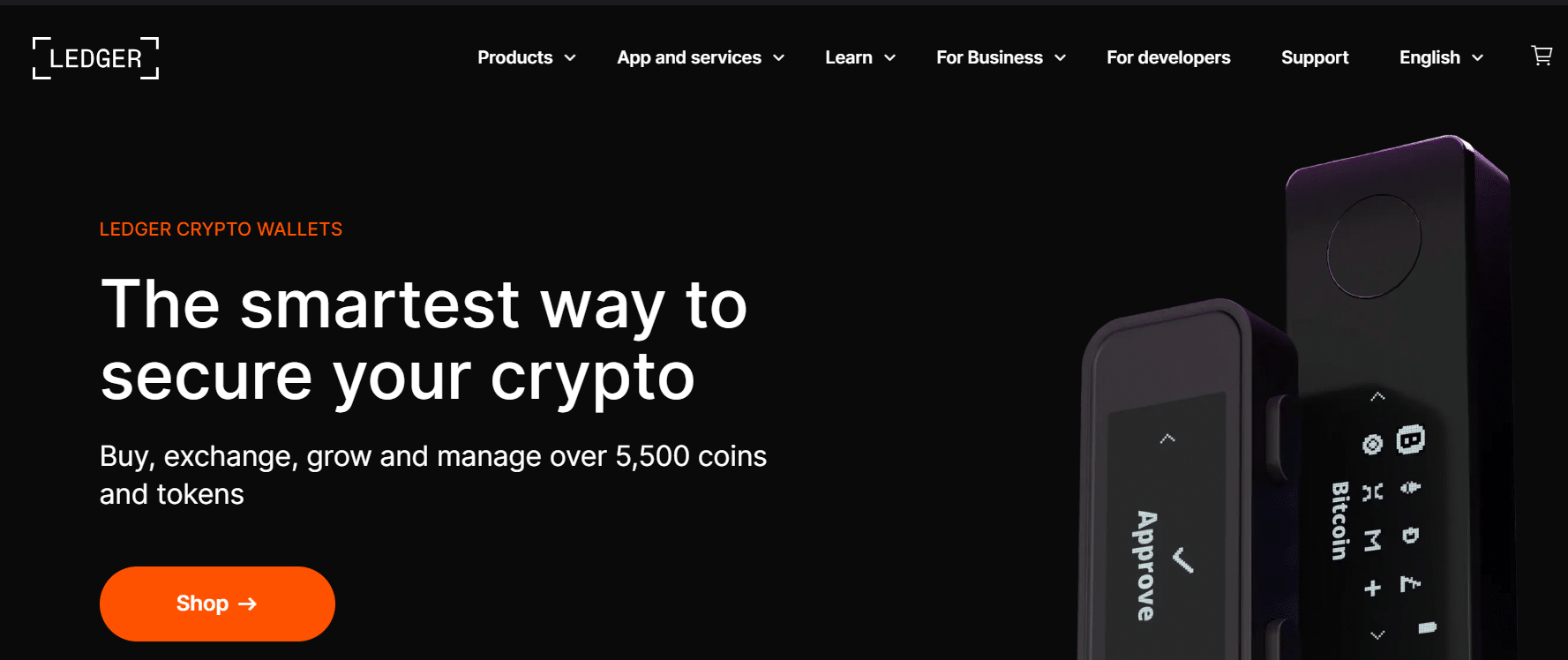
Pros
- Affordable at $140 AUD with bank-grade security
- Compact design and supports 5,500+ assets
- CC EAL5+ certified Secure Element chip
- USB-C connection for broad device compatibility
Cons
- No Bluetooth, limiting mobile compatibility
- Small screen can be cumbersome for navigation
What Security Features Does It Offer?
The Ledger Nano S Plus uses a CC EAL5+ certified Secure Element chip — the same security standard used in credit cards and passports. Your private keys never leave the device, and all transactions require physical button confirmation on the hardware wallet itself.
This architecture means even if your computer is compromised by malware, attackers cannot access your crypto. For budget-conscious Australians who do not need Bluetooth, the security is completely uncompromised compared to the more expensive Nano X.
What Cryptocurrencies Does It Support?
The Ledger Nano S Plus supports the full catalogue of 5,500+ cryptocurrencies available on Ledger devices, including Bitcoin, Ethereum, Solana, Cardano, XRP, and all major ERC-20 tokens. There are no limitations compared to the more expensive Nano X.
Through the Ledger Live app, Australians can manage multiple portfolios, stake supported assets, and connect to DeFi protocols via WalletConnect integration.
How Easy Is It to Use?
Setup takes 15-20 minutes to initialise and record your 24-word recovery phrase. The button-based interface requires slightly more navigation time than touchscreen alternatives, but becomes second nature after a few uses.
USB-C connectivity means you will always need a cable to connect to desktop or mobile devices. For Australians primarily managing crypto from a desk rather than on-the-go, this is a minor inconvenience that saves significant money compared to Bluetooth-enabled alternatives.
What Are the Costs?
At $140 AUD, the Ledger Nano S Plus offers the best value proposition in hardware wallets. You receive bank-grade security and support for 5,500+ cryptocurrencies, sacrificing only Bluetooth convenience.
For Australians building their first hardware wallet or those with portfolios under $2,000, this is the optimal choice. The security justifies the investment, while the price point remains accessible for smaller portfolios.
MetaMask — Best for DeFi and Ethereum
DeFi Leader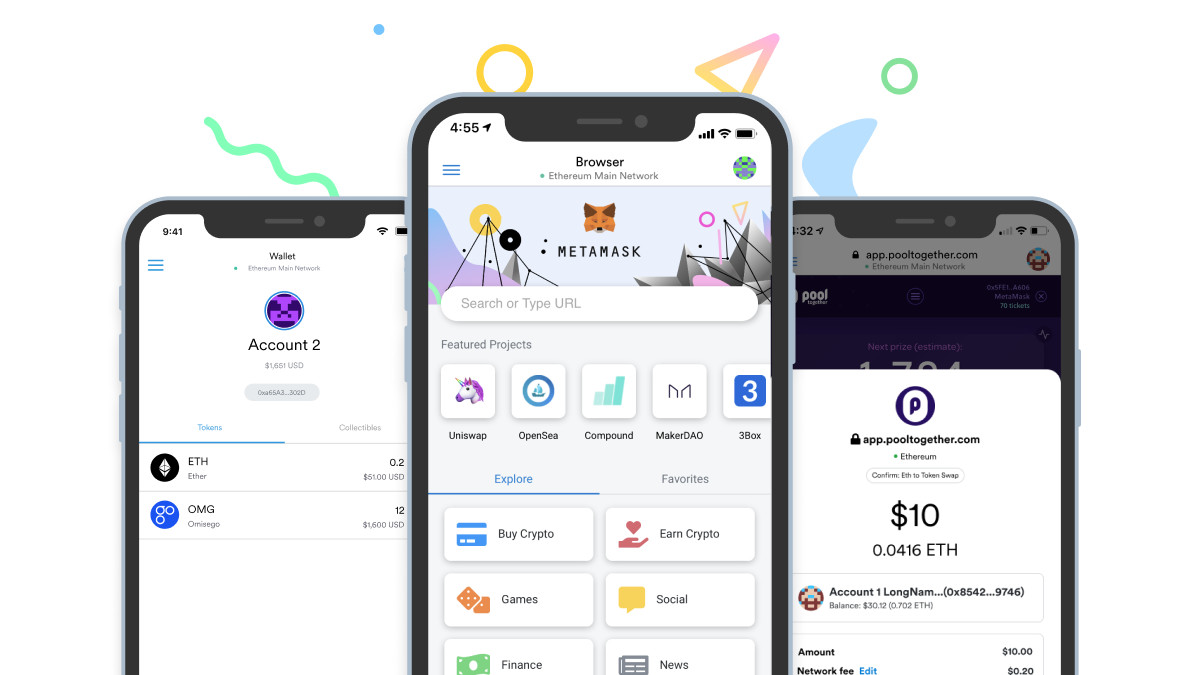
Pros
- Free to use and easy to set up in under 5 minutes
- Integrates with DeFi platforms and Ethereum dApps
- Popular for NFTs and Web3 applications
- Hardware wallet integration (Ledger, Trezor) for added security
Cons
- Online risks as a hot wallet — keys on internet-connected device
- No direct Bitcoin support — EVM chains only
What Security Features Does It Offer?
MetaMask stores private keys locally on your device, encrypted with a password you set during setup. As a hot wallet, it is inherently more vulnerable than cold storage — your keys exist on an internet-connected device, making them theoretically accessible to malware.
Security best practices include using hardware wallet integration (MetaMask can connect to Ledger or Trezor for transaction signing), enabling MetaMask's phishing protection, and never storing large amounts. Treat MetaMask as a checking account, not a savings account.
What Cryptocurrencies Does It Support?
MetaMask natively supports all Ethereum Virtual Machine (EVM) compatible chains including Ethereum, Polygon, Binance Smart Chain, Avalanche, Arbitrum, and Optimism. This covers tens of thousands of tokens, though Bitcoin and non-EVM chains like Solana or Cardano are not supported.
For Australians primarily interested in Ethereum, DeFi, NFTs, and ERC-20 tokens, MetaMask provides comprehensive coverage. Those needing multi-chain support should consider Coinbase Wallet or a hardware wallet with broader cryptocurrency support.
How Easy Is It to Use?
MetaMask setup takes less than 5 minutes: install the browser extension or mobile app, create a password, and write down your 12-word Secret Recovery Phrase. The interface is remarkably intuitive — even first-time crypto users can navigate sending, receiving, and swapping tokens.
The built-in dApp browser on mobile and automatic dApp connection on desktop make DeFi protocols feel like native applications. Australians can interact with Uniswap, Aave, OpenSea, and thousands of other platforms directly through MetaMask.
What Are the Costs?
MetaMask is completely free to download and use. No subscription fees, no account minimums, no premium tiers. The only costs are standard Ethereum network gas fees when sending transactions.
MetaMask generates revenue through its token swap aggregator (0.875% fee on swaps), but the core wallet functionality remains free. For Australians wanting to explore DeFi without upfront investment, this is the ideal entry point.
What Are the Different Types of Crypto Wallets?
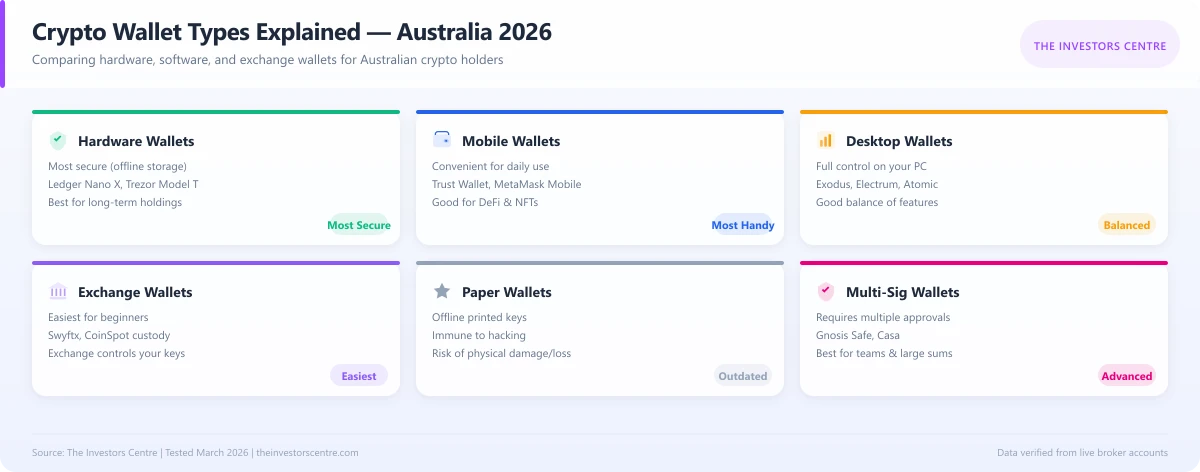
| Wallet Type | Connection | Security Level | Best For |
|---|---|---|---|
| Hot Wallets (Online) | Connected to the internet | Moderate | Daily transactions, active traders |
| Cold Wallets (Offline) | Not connected to the internet | Very High | Long-term storage, significant holdings |
| Hardware Wallets | Physical devices storing keys offline | Extremely High | Serious investors, maximum security |
| Software Wallets | Desktop or mobile applications | Varies | Everyday users, convenient access |
| Web Wallets | Browser-based wallets | Low to Moderate | Quick access, beginners |
| Custodial Wallets | Managed by exchanges or third parties | Low to High | Users who prefer convenience |
| Non-Custodial Wallets | User holds private keys, full control | High | Those who prioritise security and ownership |
Key Takeaways:
Hot wallets like MetaMask are great for quick transactions, but avoid storing large amounts due to security risks. For long-term storage, cold wallets like Ledger Nano S Plus provide unmatched security by keeping private keys offline. Software wallets strike a balance between accessibility and security, while web wallets are easy to use but more exposed to hacks.
Custodial wallets offer convenience but require trusting a third party. Non-custodial wallets give full control over your keys — the preferred option for security-conscious investors.
Hot vs. Cold Wallets: Which One Is Right for You?
The decision between hot and cold wallets depends on how you use crypto:
- Hot wallets are best for active traders who need fast transactions.
- Cold wallets provide superior security for storing large amounts of crypto long-term.
For optimal security, use a combination — keeping a portion of holdings in a hot wallet for daily use and the rest in a hardware wallet for safe storage.
What Are Cold Wallets and When Should You Use Them?
Cold wallets are offline storage solutions for cryptocurrencies, offering maximum security. Cold wallets are best used for:
- Long-term investments — Ideal for holding assets like Bitcoin for years.
- Large crypto holdings — Protect significant amounts from online threats.
- Backup security — Reduce the risk of hacks or phishing scams.
Common Cold Wallet Types
- Hardware Wallets — Physical devices like Trezor or Ledger Nano S Plus.
- Paper Wallets — Printed QR codes containing private keys.
- Air-Gapped Devices — Dedicated offline computers for secure storage.
What Are Hot Wallets and How Are They Used?
Hot wallets are software-based solutions that connect to the internet, making them perfect for frequent trading or day-to-day crypto transactions.
Common Hot Wallet Types
- Mobile Wallets — Apps like Coinbase Wallet or MetaMask.
- Web Wallets — Browser-based platforms like Kraken Wallet.
- Desktop Wallets — Software installed on computers.
Market Overview: The State of Crypto Wallets in Australia
The crypto market in Australia has expanded significantly in recent years. Regulations have also tightened, making security and compliance more crucial than ever.
Australia has a thriving cryptocurrency ecosystem with a significant rise in adoption among both retail and institutional investors. AUSTRAC and ASIC have implemented strict measures to prevent fraud and improve transparency in crypto transactions.
Many Australians prefer hot wallets like MetaMask for day-to-day transactions, as these wallets integrate seamlessly with DeFi applications and allow for quick trades. However, due to growing concerns over cyberattacks and exchange breaches, the demand for cold storage solutions has increased substantially.
The trend in 2026 is leaning towards self-custody wallets, with more users recognising the risks of keeping funds on centralised exchanges. As more users begin trading in cryptocurrencies, regulatory clarity will improve, and we can expect enhanced security features and more user-friendly wallets.
What Are the Pros and Cons of Using Crypto Wallets?
Pros:
- Full Control Over Assets: With a non-custodial wallet, you own your private keys, ensuring complete control over your funds.
- Enhanced Security: Cold wallets keep assets safe from online threats and hacking attempts.
- Convenient Transactions: Hot wallets allow fast and easy access to funds, ideal for active traders.
- Integration with DeFi and Web3: Many wallets support decentralised applications (dApps) and staking.
- Backup and Recovery Options: Secure seed phrases allow for wallet recovery if a device is lost or damaged.
Cons:
- Security Risks with Hot Wallets: Online wallets are more vulnerable to phishing scams, malware, and hacking attempts.
- Loss of Access Risk: If you lose your private key or seed phrase, you may permanently lose access to your funds.
- Hardware Wallet Costs: Cold wallets require an upfront investment, which may not be ideal for casual users.
Security Features: What to Look for in a Crypto Wallet
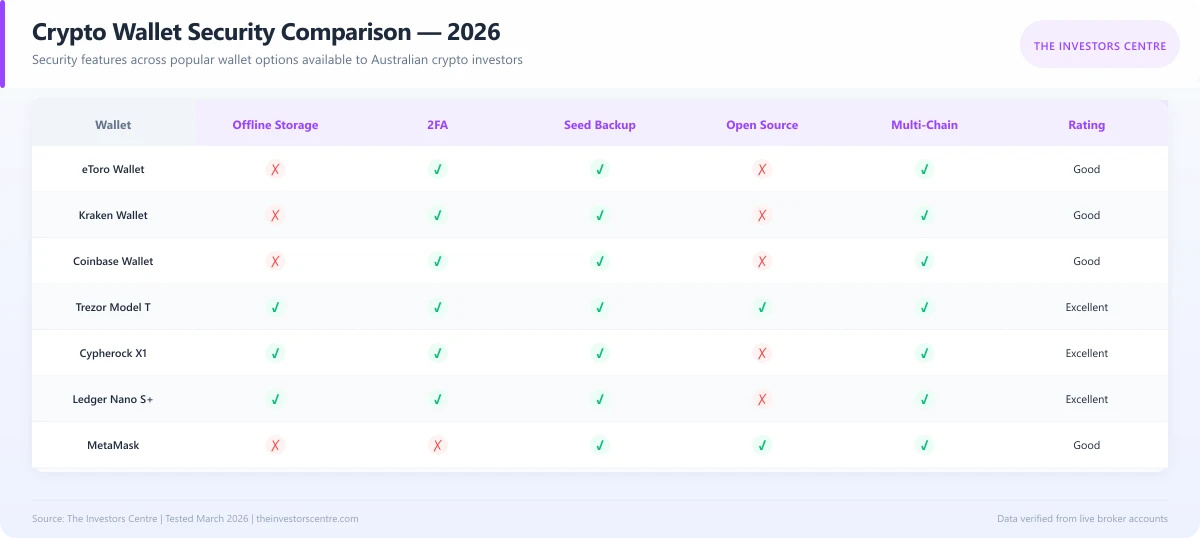
Security is everything when choosing a crypto wallet. Here are the essential features to look for:
- Private Key Control: If you do not own your keys, you do not own your crypto. A secure wallet ensures your private keys never leave your device.
- Backup and Recovery Options: A good seed phrase backup can save you from disaster. Always write it down and store it securely.
- Two-Factor Authentication (2FA): Adds an extra layer of security by requiring verification before authorising transactions.
- Multi-Signature Support: Requires multiple approvals for transactions, particularly useful for businesses or shared wallets.
- Cold Storage Options: Keeps your funds offline, away from hackers. The best hardware wallets store private keys in isolated environments.
- Encryption and Secure Authentication: Look for wallets that encrypt data locally and offer biometric or PIN authentication.
- Anti-phishing Protections: Many wallets now include anti-phishing security phrases and warning messages when interacting with potentially malicious sites.
What Are the Most Popular Cryptocurrencies Stored in Wallets in Australia?
Bitcoin remains the most held cryptocurrency, reflecting its status as digital gold. Ethereum's versatility in powering DeFi and NFTs makes it a favourite among Australian crypto users, while stablecoins like USDT are gaining traction for stability during market volatility.
| Cryptocurrency | Popularity | Primary Use Case | Trend in 2026 |
|---|---|---|---|
| Bitcoin (BTC) | High | Store of value | Dominates as digital gold |
| Ethereum (ETH) | High | Smart contracts and DeFi | Growing with Ethereum upgrades |
| Tether (USDT) | Medium | Stablecoin for trading | Rising due to stability |
| Cardano (ADA) | Medium | Sustainable smart contracts | Expanding with new projects |
| Solana (SOL) | Medium | High-speed transactions | Increasing use in NFTs |
How Can Australians Save on Fees When Using Crypto Wallets?
With fees varying significantly across platforms, here is how Australians can minimise costs:
| Strategy | How It Saves | Best Wallets/Platforms |
|---|---|---|
| Use low-fee platforms | Reduces trading and withdrawal fees | Swyftx, CoinSpot |
| Batch transactions | Combines multiple transactions to lower costs | Ledger, Trezor |
| Off-peak transactions | Avoids congestion-driven spikes in network fees | MetaMask |
| Layer-2 solutions | Utilises networks like Polygon for lower fees | Wallets compatible with L2 |
How to Use a Crypto Wallet for Trading in Australia
Step 1: Set Up Your Wallet
Choose a wallet that fits your needs, such as a Ledger Nano S Plus for secure long-term storage or MetaMask for trading. During setup, generate a recovery phrase and write it down to store offline.
Step 2: Add Funds to Your Wallet
Transfer crypto to your wallet by sending it from an exchange. For AUD deposits, platforms like CoinSpot and Swyftx allow easy fiat-to-crypto conversions. Double-check wallet addresses to avoid sending funds to the wrong location.
Step 3: Pick an Australian-Friendly Trading Platform
Select a platform compatible with your wallet, such as eToro for low crypto fees. Ensure the platform supports AUD deposits and withdrawals to simplify transactions.
Step 4: Connect Your Wallet to the Platform
Link your wallet to the trading platform via its app or desktop interface. Be cautious and only connect through official websites or apps to avoid phishing attempts.
Step 5: Select a Trading Pair and Execute the Trade
Choose a trading pair, such as BTC/AUD, and review the current market price and fees. Start with small trades to familiarise yourself with the process and minimise risk.
Step 6: Manage Your Crypto Assets Safely
After trading, transfer funds back to your wallet for safekeeping. Regularly update your wallet software and enable two-factor authentication for added security.
Are Crypto Wallets Safe for Australians?
Crypto wallets are safe if used correctly. Cold wallets, such as Ledger and Trezor, offer the highest level of security by keeping your private keys offline. However, hot wallets like MetaMask and Coinbase Wallet are vulnerable to online threats, so extra precautions are necessary.
| Concern | Solution |
|---|---|
| Phishing attacks | Verify website URLs before connecting your wallet. |
| Fake wallet apps | Only download wallets from official app stores. |
| Lost recovery phrases | Store your recovery phrase securely and offline. |
| Outdated software | Regularly update wallet firmware and apps. |
Final Thoughts: Which Crypto Wallet Should You Choose?
Choose a wallet that balances security and convenience based on your needs. If you are in it for the long haul, get a hardware wallet like Ledger Nano S Plus or Trezor Model T. If you are trading daily, a hot wallet like MetaMask or eToro might be more practical.
The crypto industry is evolving, and security threats are not going anywhere. Stay informed, be cautious, and always control your own private keys.
51% of retail CFD accounts lose money.
FAQs
References
- Australian Transaction Reports and Analysis Centre (AUSTRAC) — Regulations on crypto wallets and exchanges in Australia
- Australian Securities and Investments Commission (ASIC) — Guidelines on cryptocurrency investments
- ACSC (Australian Cyber Security Centre) — Protecting Digital Assets
- Ledger Official Site — Ledger Nano S Plus security features
- MetaMask Official Documentation — How MetaMask Ensures Private Key Security