
- Expertise:
- Platform Testing, Cryptocurrency, Retail Investing
- Credentials:
- Active investor since 2013 · 11+ years experience
- Tested:
- 50+ platforms · 200+ guides authored

- Expertise:
- Broker Comparison, ISA Strategy, Portfolio Management
- Credentials:
- Active investor since 2013 · 11+ years experience
- Tested:
- 40+ brokers with funded accounts
How We Test
Real accounts. Real money. Real trades. No demo accounts or press releases.
What we measure:
- Spreads vs advertised rates
- Execution speed and slippage
- Hidden fees (overnight, withdrawal, conversion)
- Actual withdrawal times
Scoring:
Fees (25%) · Platform (20%) · Assets (15%) · Mobile (15%) · Tools (10%) · Support (10%) · Regulation (5%)
Testing team:
Adam Woodhead (investing since 2013), Thomas Drury (Chartered ACII, 2018), Dom Farnell (investing since 2013) — 50+ platforms with funded accounts
Quarterly reviews · Corrections: [email protected]
Disclaimer
Not financial advice. Educational content only. We're not FCA authorised. Consult a qualified advisor before investing.
Capital at risk. Investments can fall. Past performance doesn't guarantee future results.
CFD warning. 67-84% of retail accounts lose money trading CFDs. High risk due to leverage.
Contact: [email protected]
What Is the Best Investment App in Canada?
Wealthsimple is our #1 pick for 2026, offering commission-free stock and ETF trading with no account minimum. For those seeking advanced charting and research tools, Questrade is the best alternative due to free ETF purchases and access to options, forex, and margin accounts.

Trading and investing involve risk. Capital at Risk

Trading and investing involve risk. Capital at Risk

Trading and investing involve risk. Capital at Risk

Trading and investing involve risk. Capital at Risk

62.5% of retail CFD accounts lose money
Trading and investing involve risk. Capital at Risk

Trading and investing involve risk. Capital at Risk
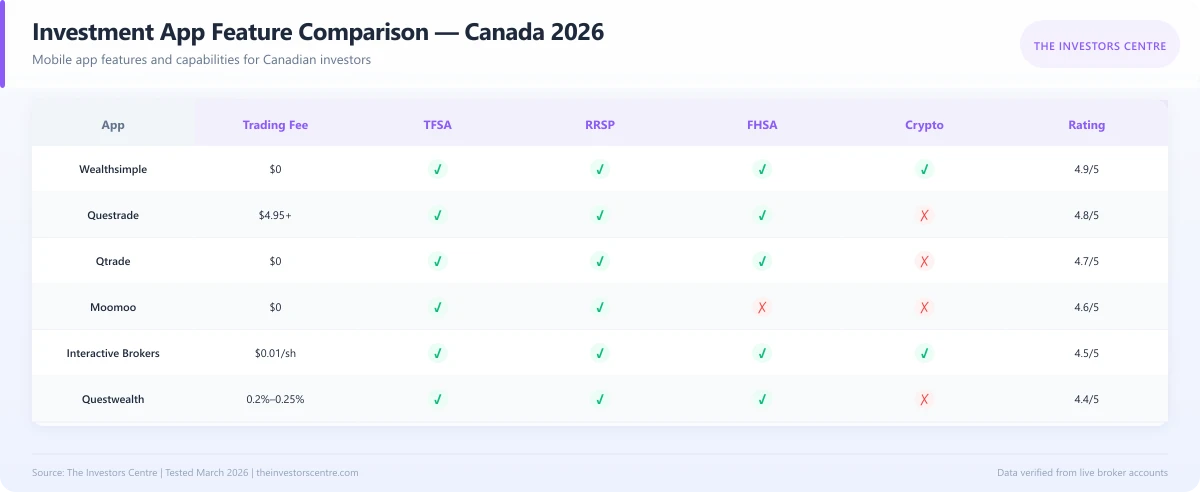
How Do Canada's Top Investment Apps Compare?
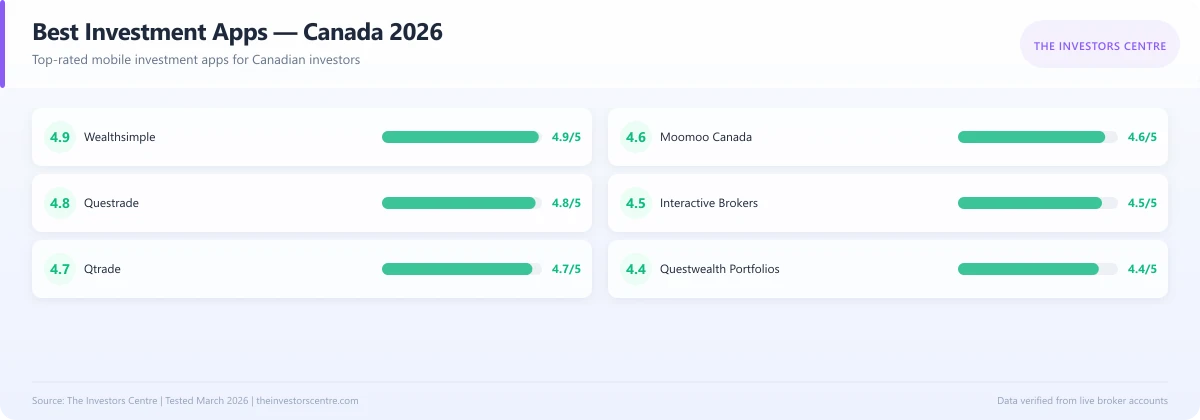
The table below provides a quick comparison of the top 7 investment apps for Canadians. DIY platforms like Wealthsimple and Questrade suit hands-on investors, while robo-advisors like Wealthsimple Invest and Questwealth offer automated portfolio management for those who prefer a hands-off approach.
| # | Provider | Trading Fee | Account Min | Best For | Rating |
|---|---|---|---|---|---|
| 1 | Wealthsimple | $0 | $0 | Beginners | 4.9 |
| 2 | Questrade | $4.95-$9.95 | $1,000 | Active Traders | 4.8 |
| 3 | Qtrade | $0 | $0 | Customer Service | 4.7 |
| 4 | Moomoo Canada | $0 | $0 | Research Tools | 4.6 |
| 5 | Interactive Brokers | $0.01/share | $0 | Global Access | 4.5 |
| 6 | Wealthsimple Invest | 0.4-0.5% | $0 | Hands-Off | 4.5 |
| 7 | Questwealth | 0.2-0.25% | $1,000 | Low-Cost Robo | 4.4 |
Here Are The Top 7 Investment Apps:
1. Wealthsimple — Best for Beginners
2. Questrade — Best for Active Traders
3. Qtrade Direct Investing — Best for Customer Service
4. Moomoo Canada — Best for Research and Tools
5. Interactive Brokers — Best for Global Market Access
6. Wealthsimple Invest — Best Robo-Advisor
7. Questwealth Portfolios — Best Low-Cost Robo-Advisor
Wealthsimple – Best for Beginners
Top Pick
Pros
- Commission-free trading on all stocks and ETFs
- No account minimum to get started
- Fractional shares available from $1
- Sleek, intuitive mobile app design
Cons
- 1.5% FX fee on USD trades (unless subscribed to Plus)
- Limited research tools compared to competitors
What Are the Fees?
Wealthsimple charges $0 commission on all stock and ETF trades, making it one of the most affordable options in Canada. There's no account minimum, no annual fee, and no inactivity fee—ideal for investors just starting out or those with smaller portfolios.
The main cost to watch is the 1.5% currency conversion fee on USD trades. For frequent US stock traders, the Wealthsimple Plus subscription ($10/month) reduces this to zero and adds perks like USD account holdings, instant deposits up to $5,000, and Snap Quotes.
What Can You Invest In?
Wealthsimple offers access to stocks and ETFs listed on Canadian and US exchanges, including the TSX, NYSE, and NASDAQ. You can also trade a selection of cryptocurrencies directly within the app, though dedicated crypto exchanges offer wider selection.
The platform supports fractional shares starting from $1, allowing Canadians to invest in high-priced stocks like Amazon or Google without needing thousands of dollars. However, options, mutual funds, forex, and bonds are not available.
Is the App Easy to Use?
Wealthsimple consistently ranks among the most user-friendly investment apps in Canada. The interface is clean, modern, and stripped of unnecessary complexity—perfect for beginners who might feel overwhelmed by chart-heavy platforms.
Setting up an account takes under 10 minutes, with instant verification for most Canadians. The app includes price alerts, basic watchlists, and a news feed. However, advanced traders may find the charting and research tools too basic for technical analysis.
Who Is It Best For?
Wealthsimple is ideal for Canadian beginners, passive investors, and anyone prioritising simplicity over advanced features. It suits those building TFSA or RRSP portfolios with Canadian ETFs, long-term buy-and-hold investors, and younger Canadians who want a mobile-first experience with no barriers to entry.
Questrade – Best for Active Traders
Advanced Tools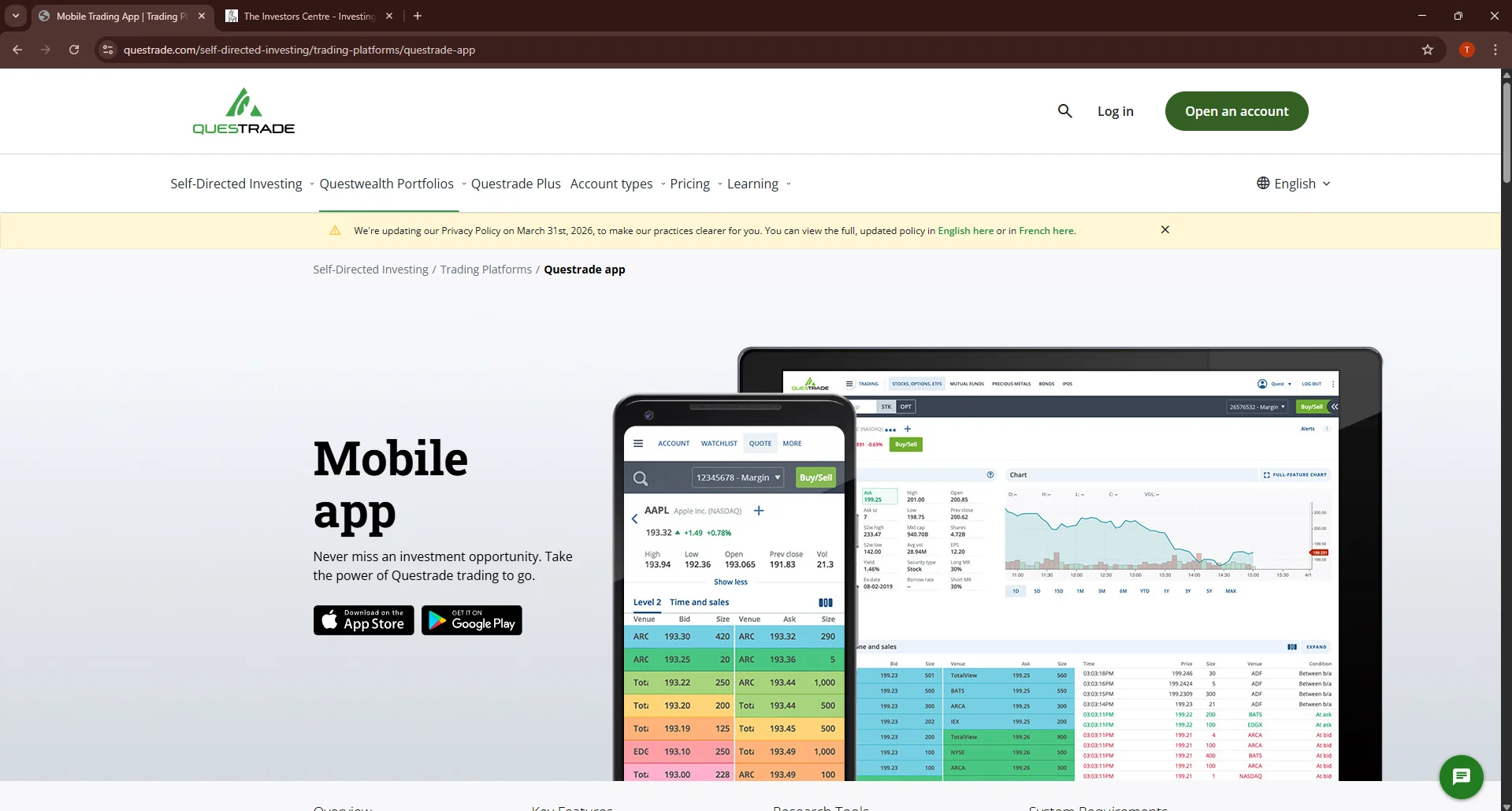
Pros
- Free ETF purchases (pay only when selling)
- Access to stocks, ETFs, options, forex, mutual funds, and bonds
- Advanced platforms including Questrade Edge and IQ Edge
- Comprehensive registered account support (TFSA, RRSP, RESP, LIRA, RRIF)
Cons
- $1,000 minimum balance requirement
- $24.95/quarter inactivity fee (waived if balance exceeds $5,000 or one trade per quarter)
What Are the Fees?
Questrade charges $4.95 to $9.95 per stock trade depending on order size, but ETF purchases are completely free—you only pay the $4.95-$9.95 commission when selling. This structure benefits passive investors building ETF portfolios through regular purchases.
Options trades cost $9.95 + $1 per contract (capped at $24.95 per trade). Currency conversion fees are 1.5-2%, similar to competitors. A $24.95 quarterly inactivity fee applies if your balance is under $5,000 and you don't make at least one trade per quarter.
What Can You Invest In?
Questrade provides the broadest investment selection among Canadian discount brokers: stocks, ETFs, options, mutual funds, bonds, GICs, and forex. You can trade on Canadian and US exchanges, plus access international markets through currency accounts.
The platform supports all major registered account types including TFSA, RRSP, RESP, FHSA, LIRA, and RRIF—making it suitable for comprehensive financial planning across life stages. Margin accounts are available for qualified investors.
What Platforms Are Available?
Questrade offers three trading platforms tailored to different experience levels. The web platform suits beginners with straightforward navigation and essential features. Questrade Edge provides intermediate traders with enhanced charting and watchlists. IQ Edge delivers professional-grade tools including Level II quotes, advanced order types, and customizable layouts.
Mobile apps for iOS and Android replicate most desktop functionality, including options trading and watchlist management. The ecosystem integrates seamlessly, syncing portfolios and settings across devices.
Who Is It Best For?
Questrade suits active traders and intermediate investors who want free ETF purchases, options access, and professional-grade tools. It's ideal for Canadians building diversified portfolios across multiple account types (TFSA, RRSP, RESP) or those requiring margin accounts and advanced order types.
Qtrade Direct Investing – Best for Customer Service
Top Support
Pros
- Award-winning customer service (J.D. Power 2023, 2024)
- $0 commissions on stocks and ETFs
- No account minimum
- Comprehensive educational resources and market research
Cons
- $25/quarter inactivity fee (waivable with pre-authorized contributions)
- Options trading costs $6.95 + $1.25 per contract
What Are the Fees?
Qtrade charges $0 commission on Canadian and US stocks and ETFs. There's no account minimum to open an account, and no annual administration fees. Currency conversion costs approximately 1.5-2% on USD trades, comparable to most Canadian brokers.
Options trades cost $6.95 + $1.25 per contract. A $25 quarterly inactivity fee applies if you make no trades, but this is waived with pre-authorized contributions of any amount—making it easy to avoid even if you're just adding small amounts regularly to your TFSA or RRSP.
What Makes Qtrade's Support Stand Out?
Qtrade has won J.D. Power's Self-Directed Investor Satisfaction Award multiple years (2023, 2024) for exceptional customer service. Phone support is available Monday-Friday 7am-9pm ET with representatives who can guide you through trades, explain investment concepts, or troubleshoot technical issues.
The platform also offers live chat during business hours and email support with typically same-day responses. Many users report that Qtrade's support team is more patient and educational compared to larger discount brokers who prioritize speed over thorough explanations.
What Educational Resources Are Available?
Qtrade provides extensive educational content for investors at all levels. Qtrade University offers courses on investing fundamentals, market analysis, and portfolio management. Regular webinars feature market experts discussing current trends and strategies.
The platform integrates research from Morningstar and Thomson Reuters, providing detailed company reports, analyst recommendations, and market data. These tools help investors make informed decisions without requiring separate research subscriptions.
Who Is It Best For?
Qtrade suits Canadians who value responsive customer service and educational support over pure feature depth. It's ideal for intermediate investors building portfolios who appreciate having knowledgeable representatives available by phone, beginners who want guided learning resources, and anyone preferring quality support from a Canada-focused brokerage.
Moomoo Canada – Best for Research and Tools
Advanced Analytics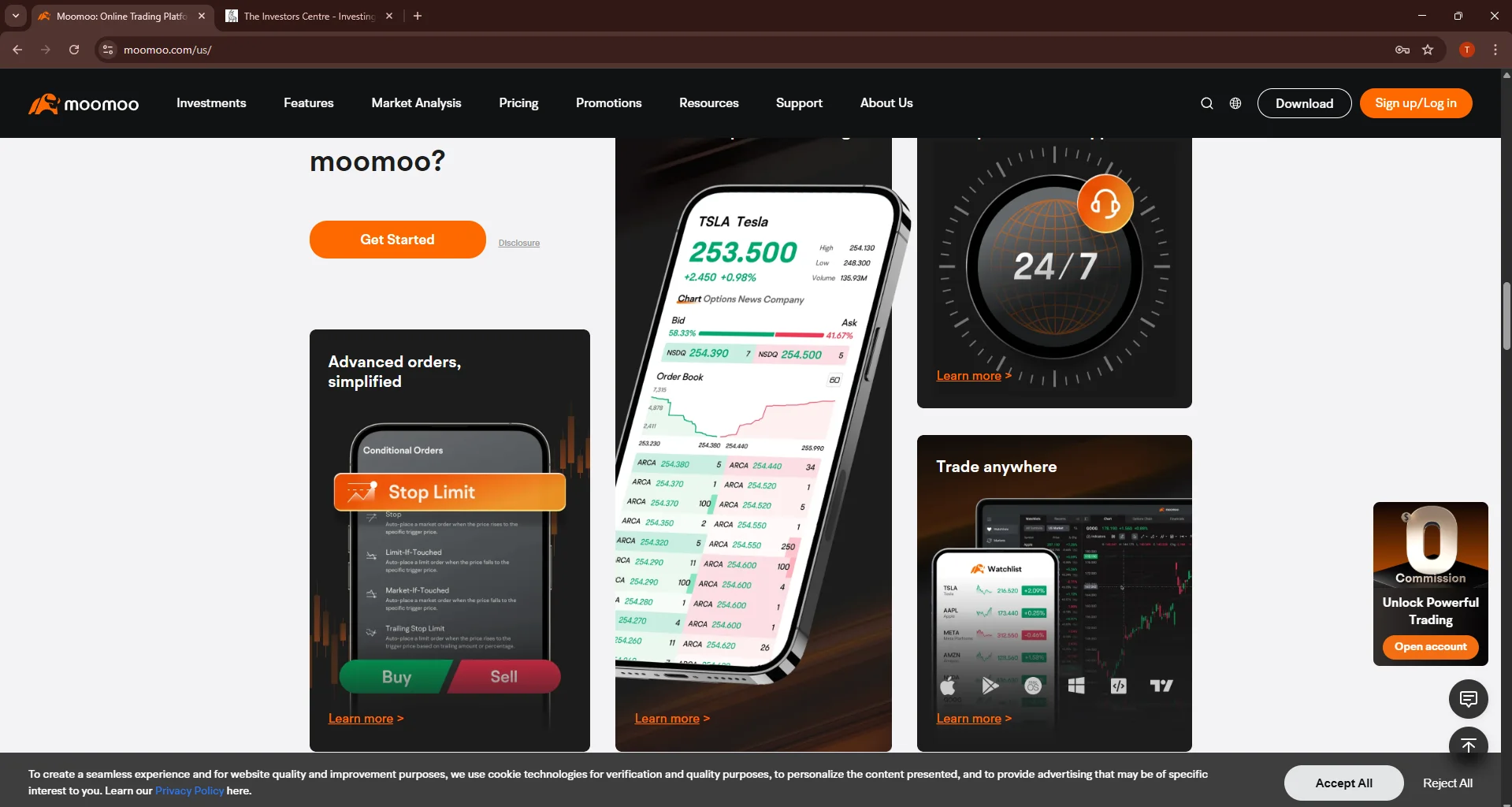
Pros
- $0 commission on stocks and ETFs
- 60+ technical indicators and advanced charting
- Real-time Level 2 market data and heatmaps
- Paper trading (virtual account) to practice strategies
Cons
- No options, mutual funds, or bonds available
- Interface can feel overwhelming for beginners
What Are the Fees?
Moomoo charges $0 commission on Canadian and US stock and ETF trades with no account minimum. There are no inactivity fees, annual fees, or platform fees. Real-time market data and advanced charting tools that typically require paid subscriptions are included free.
Currency conversion fees apply when trading US stocks from CAD accounts, similar to other Canadian brokers at approximately 1.5-2%. For active US stock traders, holding USD in your account can minimize conversion costs.
What Research Tools Stand Out?
Moomoo provides institutional-grade research tools for free. The platform includes 60+ technical indicators, customizable chart layouts, drawing tools, and pattern recognition. Level 2 order book data shows real-time bid/ask spreads and market depth, helping identify optimal entry and exit points.
Market heatmaps visualize sector performance and individual stock movements at a glance. Financial statements, analyst ratings, and earnings calendars are integrated directly into each stock profile. Paper trading allows you to test strategies with virtual money before risking real capital.
What Features Are Available?
Moomoo offers advanced order types including stop-loss, stop-limit, trailing stop, and bracket orders for precise risk management. Customizable alerts notify you of price movements, volume changes, or technical indicator triggers. Watchlists can organize hundreds of securities with real-time updates.
The mobile app mirrors desktop functionality, letting you access the same advanced charting and analysis tools on the go. Social features let you see what other Moomoo users are trading, though you should always conduct your own research before following any crowd.
Who Is It Best For?
Moomoo suits active traders and technically-focused investors who want professional-grade research tools at zero cost. It's ideal for those comfortable with technical analysis who value real-time market data, day traders or swing traders using chart patterns and indicators, and investors willing to invest time learning the platform's extensive features.
Interactive Brokers – Best for Global Market Access
Global Trading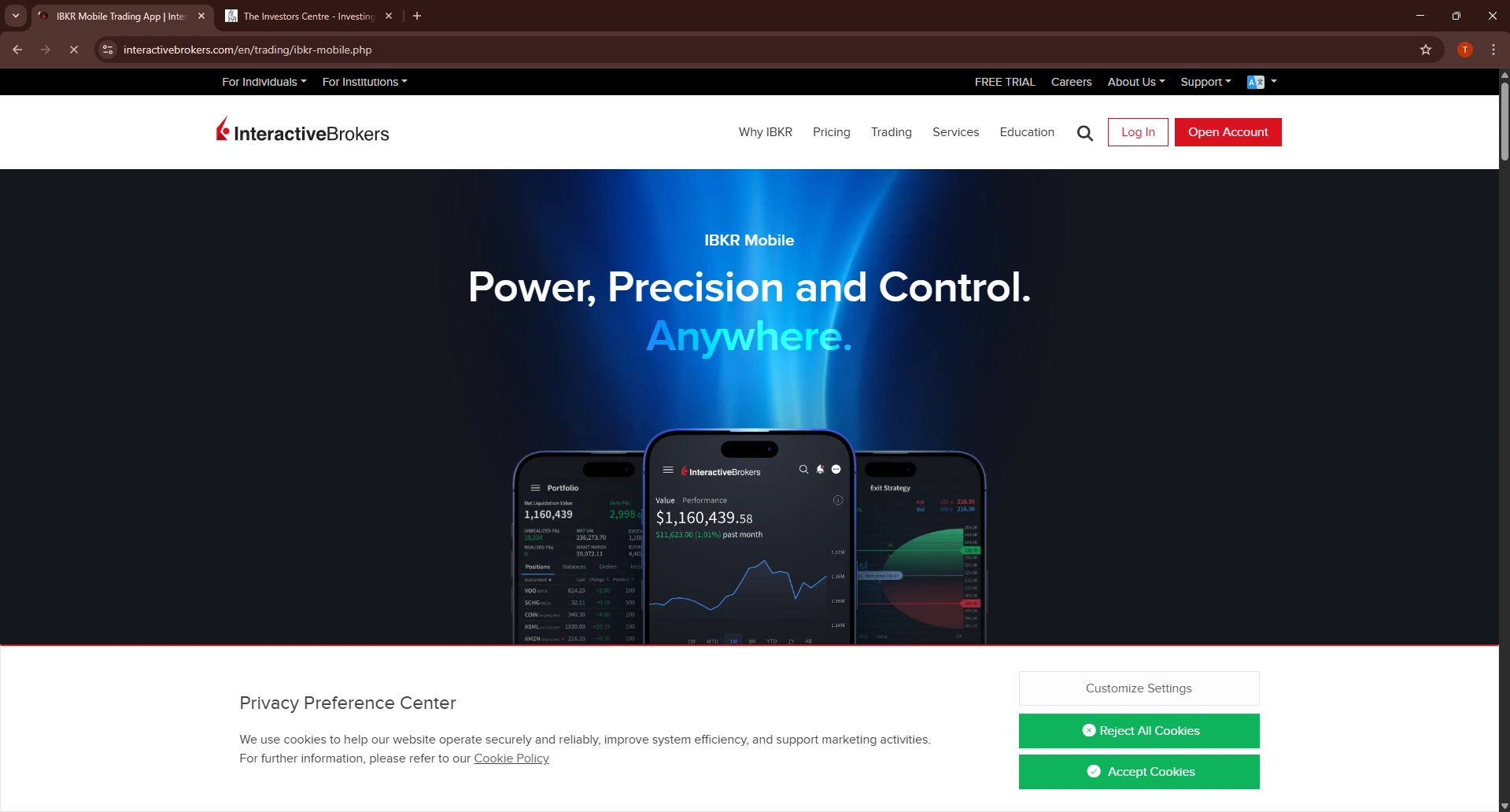
Pros
- Access to 150 markets across 33 countries
- Lowest forex fees (often under 0.1%)
- Comprehensive asset classes: stocks, bonds, options, futures, forex, funds
- Professional platforms (Trader Workstation) with advanced tools
Cons
- Complex interface intimidating for beginners
- CAD $10/month activity fee (waivable with $100k+ or sufficient commissions)
What Are the Fees?
Interactive Brokers uses a tiered pricing structure. Canadian stocks cost $0.01 per share (minimum $1 per trade), US stocks cost $0.005 per share (minimum $1). For most retail investors, this means $1-5 per trade depending on order size—competitive but not commission-free like Wealthsimple or Questrade ETFs.
Where IBKR truly excels is forex: currency conversion typically costs just 0.02-0.2%, drastically cheaper than the 1.5-2% at Canadian discount brokers. A CAD $10 monthly activity fee applies unless you maintain $100,000+ in assets or generate sufficient commissions ($10+ monthly). For large portfolios, this fee is negligible.
What Markets Can You Access?
Interactive Brokers provides access to 150 markets in 33 countries, including major exchanges in North America, Europe, Asia-Pacific, and emerging markets. Trade stocks, ETFs, options, futures, forex, bonds, mutual funds, and even cryptocurrencies through a single account.
This global access benefits Canadians wanting international diversification beyond US/Canadian markets. For example, you can directly invest in European stocks on their home exchanges, access Asian markets, or trade forex pairs unavailable through most Canadian brokers. Multi-currency accounts let you hold and trade in 26+ currencies.
What Platforms Are Available?
Trader Workstation (TWS) is IBKR's flagship platform, offering institutional-grade tools, advanced order types, and highly customizable layouts. While powerful, TWS has a steep learning curve—plan to invest time learning the interface. For simpler needs, IBKR Mobile provides streamlined trading on smartphones and tablets.
Client Portal offers web-based access with account management, research tools, and basic trading functionality. The platform ecosystem suits professional traders and sophisticated investors who need comprehensive global market access and advanced analytics.
Who Is It Best For?
Interactive Brokers suits experienced investors and professional traders who need global market access and the lowest forex fees. It's ideal for Canadians with portfolios over $100,000 (waives monthly fee), investors wanting direct access to international markets, active forex or options traders requiring tight spreads, and those comfortable with complex platforms in exchange for comprehensive functionality.
Wealthsimple Invest – Best Robo-Advisor
Hands-OffPros
- No account minimum to get started
- Automatic portfolio rebalancing and tax-loss harvesting
- Socially responsible investing (SRI) portfolios available
- Intuitive mobile app for hands-off investing
Cons
- 0.4-0.5% management fee higher than Questwealth
- Limited customization for those wanting portfolio control
What Are the Fees?
Wealthsimple Invest charges an annual management fee of 0.4% for accounts under $100,000 and 0.5% for Basic accounts (no minimum). Premium accounts ($100,000+) pay 0.4% and gain access to human financial advisors. These fees are charged on top of the underlying ETF management expense ratios (MERs), typically 0.15-0.25%.
Total annual costs range from approximately 0.55-0.75%, which is competitive for robo-advisors offering no account minimum and automatic rebalancing. While higher than self-directed investing, the fee covers portfolio management, tax optimization, and ongoing adjustments—removing the need for hands-on involvement.
What Portfolios Are Available?
Wealthsimple Invest builds globally diversified portfolios using low-cost ETFs. After completing a risk assessment questionnaire, you're assigned a portfolio matched to your goals and timeline. Portfolios range from conservative (more bonds) to aggressive (more stocks), with automatic rebalancing maintaining your target allocation.
Socially responsible investing (SRI) portfolios are available at no extra cost, focusing on companies with strong environmental, social, and governance (ESG) practices. Halal portfolios exclude businesses conflicting with Islamic finance principles. The platform handles dividend reinvestment automatically.
What Features Are Included?
Wealthsimple Invest handles all portfolio management: automatic rebalancing maintains your target allocation, tax-loss harvesting realizes losses to offset gains and reduce taxes, and dividend reinvestment grows your portfolio continuously. Premium accounts ($100,000+) include access to human advisors for financial planning questions.
The mobile app lets you set recurring contributions, track progress toward goals, and view performance. There's no day-to-day involvement required—the platform manages everything automatically. All registered account types are supported: TFSA, RRSP, RESP, FHSA, LIRA, and RRIF.
Who Is It Best For?
Wealthsimple Invest suits Canadians who want professionally managed portfolios without hands-on involvement. It's ideal for beginners overwhelmed by DIY investing who prefer automated management, busy professionals lacking time for active portfolio maintenance, and investors valuing socially responsible investment options at no extra cost.
Questwealth Portfolios – Best Low-Cost Robo-Advisor
Lowest Fees
Pros
- Lowest robo-advisor fees in Canada (0.20-0.25%)
- Automatic rebalancing and tax-loss harvesting
- Access to human financial advisors (accounts $100,000+)
- Full registered account support
Cons
- $1,000 minimum balance requirement
- Mobile app less polished than Wealthsimple Invest
What Are the Fees?
Questwealth charges just 0.20-0.25% annually for portfolio management—Canada's lowest robo-advisor fees. On top of this, you pay the underlying ETF MERs (typically 0.15-0.25%). Total annual costs range from approximately 0.35-0.50%, substantially cheaper than Wealthsimple Invest's 0.55-0.75%.
While the percentage difference seems small, over decades this compounds significantly. On a $100,000 portfolio growing at 6% annually, Questwealth's lower fees could save you tens of thousands compared to higher-cost robo-advisors. The $1,000 account minimum is a minor barrier for most investors starting out.
How Are Portfolios Managed?
Questwealth builds globally diversified ETF portfolios based on your risk tolerance and timeline. The platform automatically rebalances your portfolio quarterly or when allocations drift significantly from targets. Tax-loss harvesting captures losses to offset gains, reducing your tax burden.
Portfolios use low-cost ETFs tracking Canadian, US, international, and bond markets. Dividend distributions are reinvested automatically. All registered account types are supported: TFSA, RRSP, RESP, FHSA, LIRA, and RRIF. Unlike Wealthsimple Invest, there's no socially responsible option currently.
Can You Speak with Financial Advisors?
Yes, Questwealth provides access to licensed financial advisors for accounts over $100,000 at no additional cost. Advisors can help with financial planning, retirement projections, tax strategies, and portfolio questions. For smaller accounts, support is available via email and phone for account-related inquiries.
This advisor access differentiates Questwealth from pure robo-advisors, offering a hybrid approach where automated management is supplemented by human expertise when needed. Advisors cannot manage your portfolio directly but provide guidance and planning support.
Who Is It Best For?
Questwealth suits cost-conscious Canadians who want automated portfolio management at the lowest possible fees. It's ideal for investors comfortable with a $1,000 minimum who prioritize long-term cost savings, those wanting hands-off investing without paying premium robo-advisor fees, and investors who may want advisor access as their portfolio grows beyond $100,000.
What Registered Accounts Can You Open With Canadian Investment Apps?
Canadian investment apps offer various registered accounts that provide tax advantages for saving and investing. Understanding which accounts each platform supports helps ensure you can meet all your financial goals—retirement, education, first home purchase—within a single app.
What Is a TFSA?
The Tax-Free Savings Account (TFSA) lets Canadians invest and withdraw funds completely tax-free. The 2026 contribution limit is $7,000, with unused room carrying forward from previous years. Investment gains, dividends, and withdrawals are never taxed, making the TFSA ideal for both short and long-term goals.
What Is an RRSP?
The Registered Retirement Savings Plan (RRSP) provides tax-deferred growth for retirement savings. Contributions reduce your taxable income now, and investments grow tax-free until withdrawal—when they're taxed as income. The 2026 contribution limit is 18% of previous year's income, up to approximately $32,490.
What Is an FHSA?
The First Home Savings Account (FHSA), launched in 2023, combines TFSA and RRSP benefits for first-time homebuyers. Contributions are tax-deductible (like RRSP), and withdrawals for a qualifying home purchase are tax-free (like TFSA). The annual limit is $8,000, with a $40,000 lifetime cap.
| App | TFSA | RRSP | FHSA | RESP | LIRA/RRIF |
|---|---|---|---|---|---|
| Wealthsimple | Yes | Yes | Yes | No | No |
| Questrade | Yes | Yes | Yes | Yes | Yes |
| Qtrade | Yes | Yes | Yes | Yes | Yes |
| Moomoo Canada | Yes | Yes | No | No | No |
| Interactive Brokers | Yes | Yes | Yes | Yes | Yes |
| Wealthsimple Invest | Yes | Yes | Yes | Yes | Yes |
| Questwealth | Yes | Yes | Yes | Yes | Yes |
For Canadians needing RESP accounts for children's education savings or LIRA/RRIF for pension transfers and retirement income, Questrade, Qtrade, Interactive Brokers, and the robo-advisors offer the broadest support. Wealthsimple and Moomoo focus on core accounts (TFSA, RRSP) only.
What Should Canadian Investors Consider When Choosing an App?
Beyond fees and features, Canadian investors should verify regulatory protection and understand the true costs of trading—especially for US stocks where currency conversion can significantly impact returns.
How Are Investment Apps Regulated in Canada?
All legitimate Canadian investment apps must be registered with IIROC (Investment Industry Regulatory Organization of Canada) as investment dealers. IIROC membership means the platform follows strict rules around client asset protection, capital requirements, and business conduct.
IIROC members are automatically covered by CIPF (Canadian Investor Protection Fund), which protects your investments up to $1 million per account category if the brokerage fails. This coverage applies separately to registered accounts (TFSA, RRSP combined) and non-registered accounts—so you could have up to $2 million total protection.
To verify any platform's registration, search the IIROC AdvisorReport database at iiroc.ca. All seven apps in this guide are confirmed IIROC members with full CIPF coverage.
What Fees Should You Watch Out For?
Commission-free trading has become standard, but other fees can erode returns:
- Currency conversion (FX) fees: Most Canadian apps charge 1.5-2% to convert CAD to USD for US stock purchases. Trading $10,000 in US stocks costs $150-$200 in hidden FX fees. Interactive Brokers (0.03%) is dramatically cheaper for frequent USD trading.
- Inactivity fees: Some platforms charge quarterly fees if you don't trade or maintain a minimum balance. Questrade charges $24.95/quarter under $1,000; Qtrade charges $25/quarter (waivable).
- Management fees (robo-advisors): Annual fees of 0.2-0.5% apply on top of ETF costs. Over decades, this compounds significantly—a 0.3% difference can mean tens of thousands of dollars on a large portfolio.
- ECN fees: Some platforms pass through exchange fees on certain trades, typically small ($0.003/share) but worth noting for high-volume traders.
Final Thoughts
The best investment app for Canadians depends on your experience level, trading frequency, and preferred involvement. For most beginners, Wealthsimple offers the smoothest entry point with commission-free trading, no minimums, and an intuitive mobile experience that removes barriers to getting started.
Active traders and those wanting broader investment options should consider Questrade for its free ETF purchases, options access, and comprehensive account types including RESP and LIRA. For professional-grade tools and the lowest USD conversion costs, Interactive Brokers remains unmatched—though its complexity suits experienced investors only.
If you prefer hands-off investing, Wealthsimple Invest provides excellent automated portfolio management with no minimum, while Questwealth Portfolios offers the same automation at Canada's lowest robo-advisor fees. Both are legitimate paths to building wealth without active involvement.
Ultimately, the best app is the one you'll actually use consistently. Starting with any IIROC-regulated platform is better than delaying—compound growth rewards early action, and you can always transfer to a different platform later as your needs evolve.
FAQs
Sources
- IIROC. "Find a Registered Firm or Individual." 2026.
- CIPF. "Coverage for Investors." 2026.
- Canada Revenue Agency. "Tax-Free Savings Account (TFSA)." 2026.
- Ontario Securities Commission. "Investor Education." 2026.
- Finder Canada. "Consumer Sentiment Survey January 2025." 2025.
- J.D. Power. "Canada Self-Directed Investor Satisfaction Study." 2025.
- Wealthsimple. "Pricing and Fees." 2026.
- Questrade. "Pricing." 2026.